
A live lane for the day
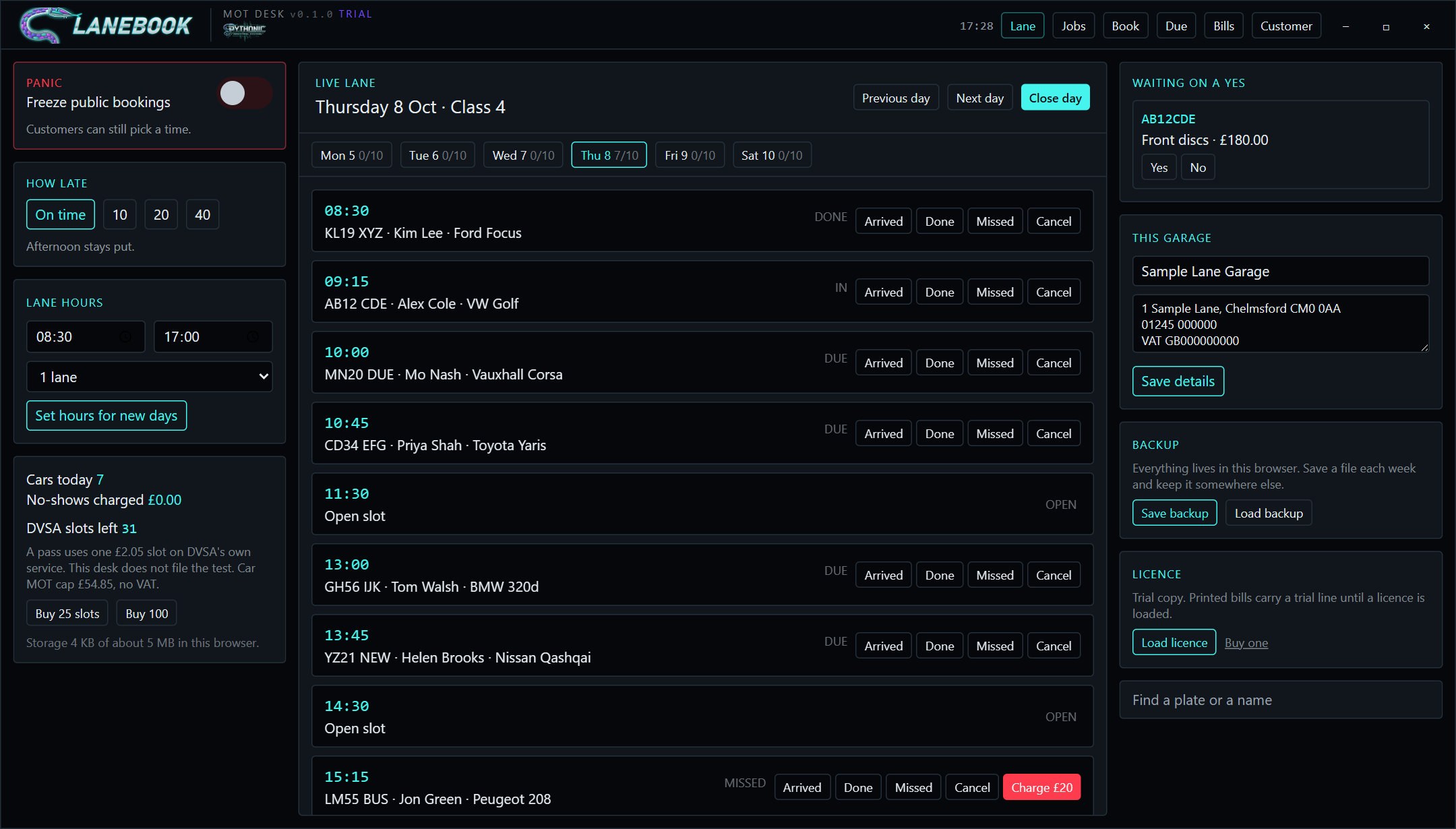
45 minute slots from your opening hours, one to three lanes, a Monday to Saturday strip with counts. Mark each car Arrived, Done, Missed or Cancel. Running late? Shift the afternoon by 10, 20 or 40 minutes with one press.

Garage software by Pythonic Industrial Systems
One screen for the front desk of a small MOT and repair garage. Who is in the lane, who is due, what the customer said yes to, and a numbered bill at the end. It runs on your own computer and your data never leaves the building.
What it does
Garage systems charge £30 to £145 a month for diaries, job cards and invoices. Lanebook does the part a one or two lane garage actually uses every day, and you can own it outright.
45 minute slots from your opening hours, one to three lanes, a Monday to Saturday strip with counts. Mark each car Arrived, Done, Missed or Cancel. Running late? Shift the afternoon by 10, 20 or 40 minutes with one press.
Registration, name, mobile, car, mileage, type of work, pick a time. Returning customers are recognised by plate, even if they typed it with or without spaces.
Found worn pads during the test? Add it with a price. It sits in "Waiting on a yes" until the customer answers. Only the yeses go on the bill.
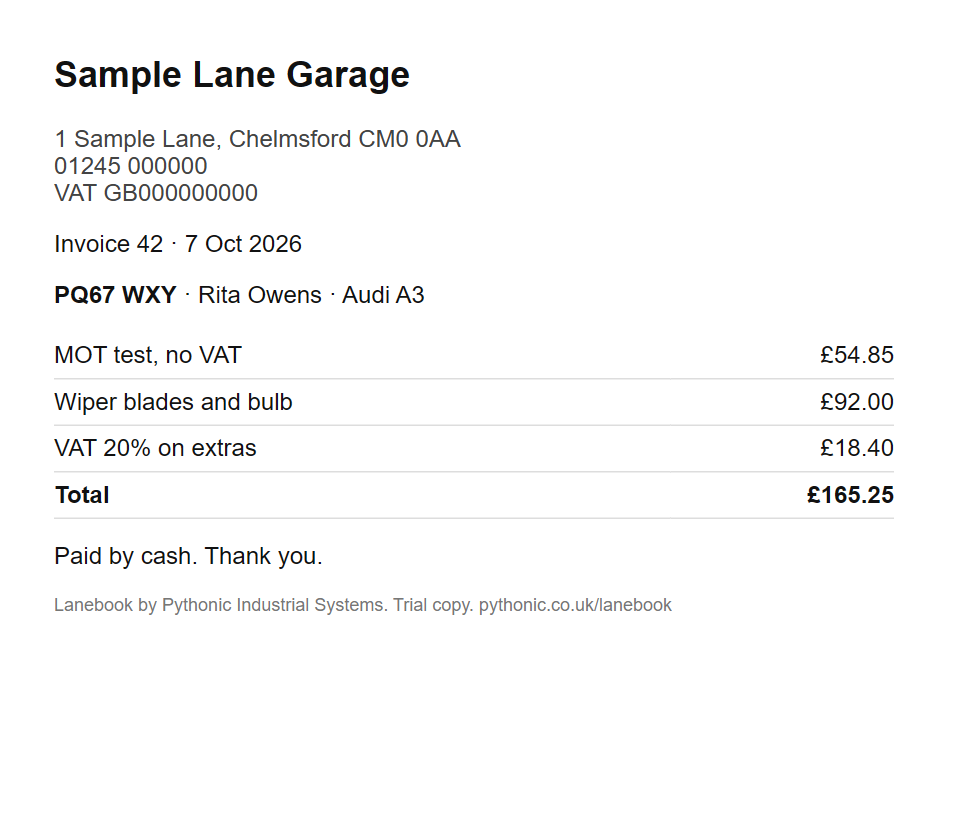
MOT at the £54.85 cap with no VAT, extras with 20% VAT, car and mileage, advisories, your address and VAT number. Print it. Mark cash, card or transfer. Copy the lot to a spreadsheet for your accountant.
Every MOT bill creates next year's reminder. The Due list shows the next 45 days with a ready-made text message to copy into your phone, including last year's advisories.
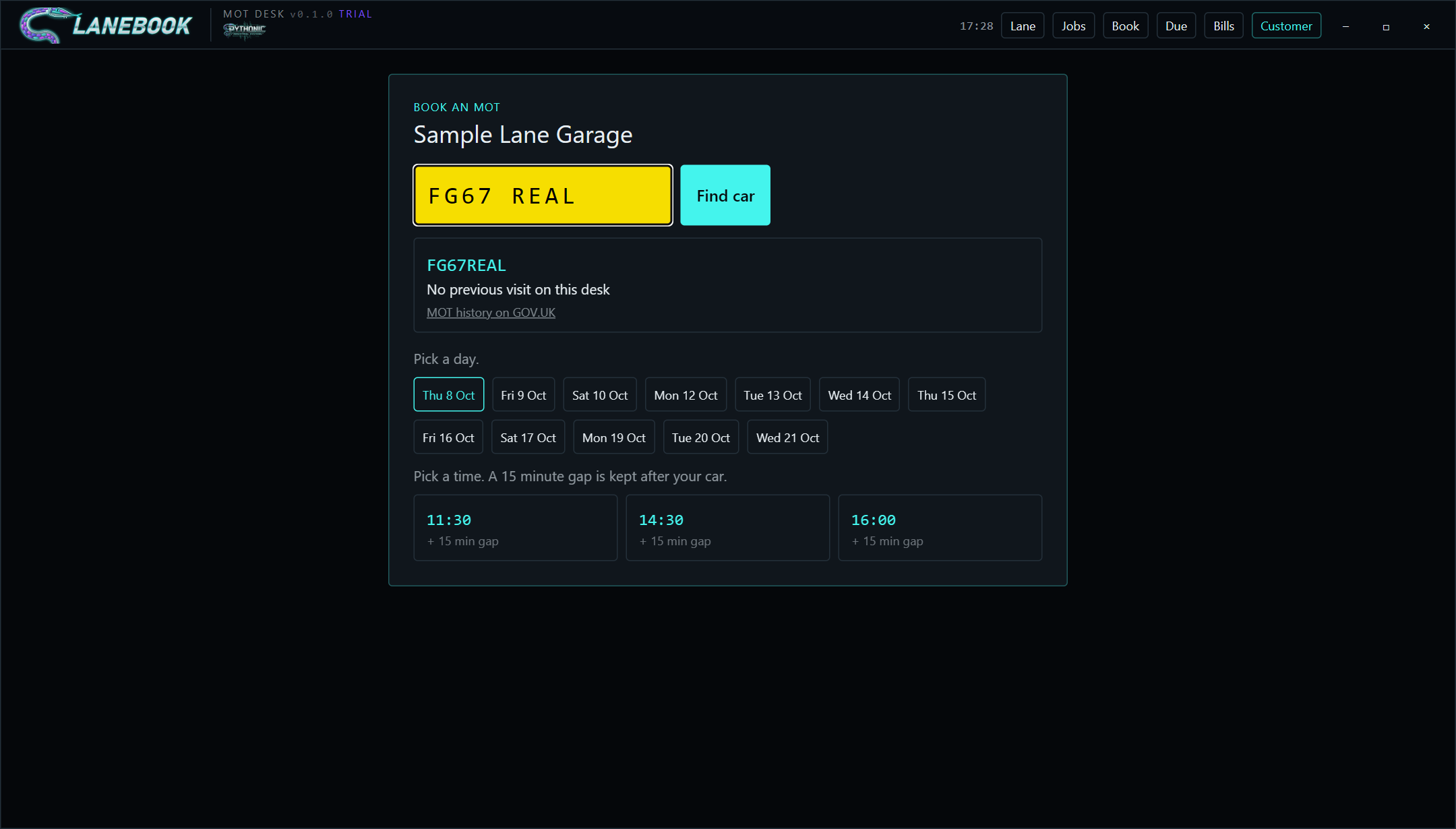
A running count of your test slots with a warning when tomorrow's bookings outnumber them. Missed appointments can carry a £20 no-show record. A customer screen for a tablet on the counter lets people pick their own time.
Inside Lanebook
Real screens from the trial with a sample day loaded. Names and registrations are made up.
Walkthrough
Everything you see is one HTML page. No server, no login, no sync. Close the lid and it is still there in the morning.
Lane
The day at a glance with the week strip above it. Panic switch freezes public bookings. The right column holds extra work waiting on a yes, your garage details, backup and licence.
From the phone to the bill
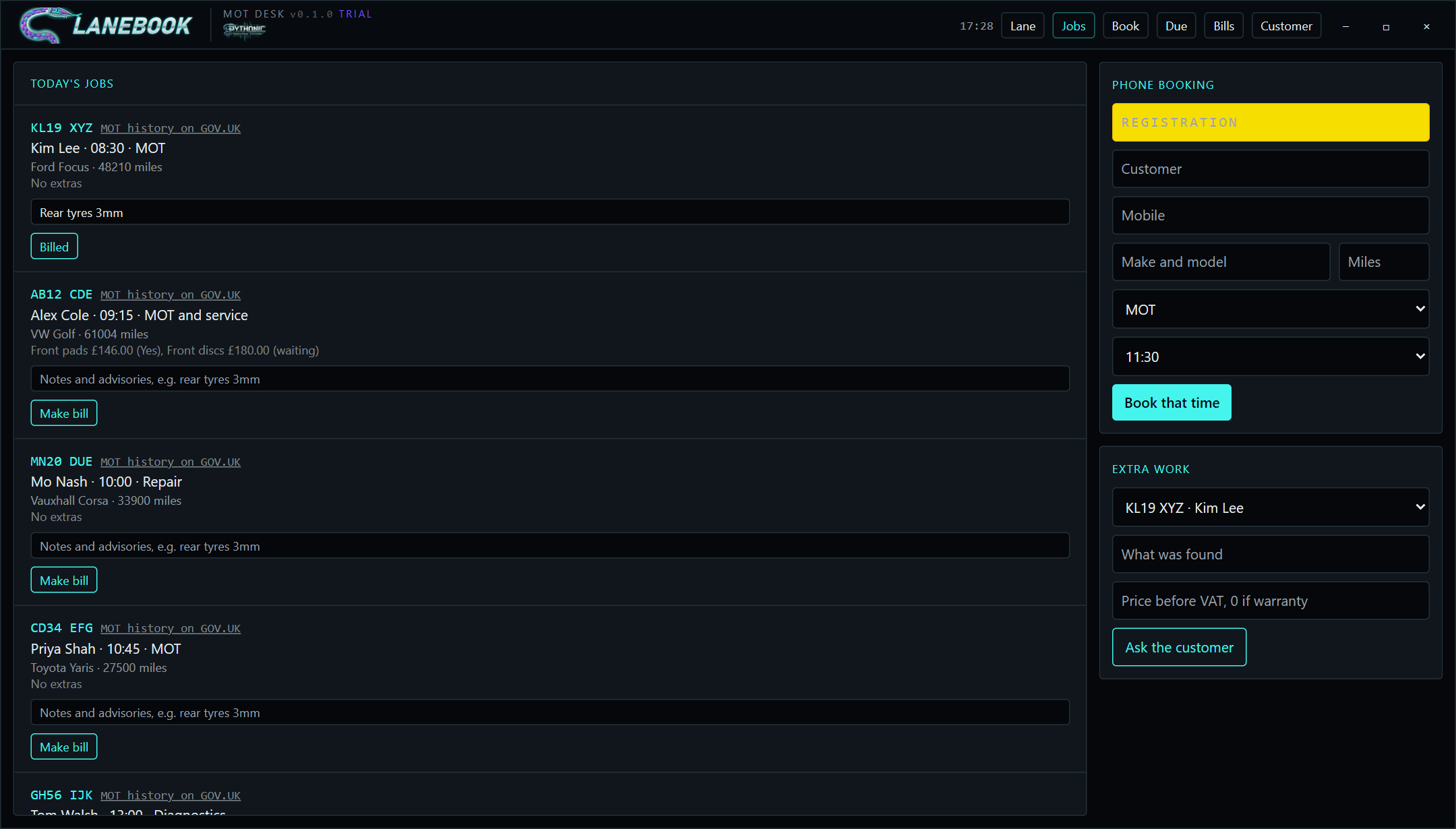
The job card follows the car through the day. When it is done, Make bill writes the invoice, uses one DVSA slot if it was an MOT, sets next year's reminder, and then greys itself out so nobody bills the same car twice.
Money
MOT at the £54.85 cap with no VAT. Extras with 20% VAT shown separately. Sequential numbers with no gaps. Cash, card or transfer marked per bill. One button copies the whole list as a spreadsheet.
Yours, not rented
No login, no cloud, no subscription you have to keep paying to see your own customers. Save backup writes one file you keep on a USB stick. Load backup brings it back on a new machine. We never see your bookings.
How to use it
Open it on the desk PC, do the three set-up steps once, and leave it open. Here is a normal day.
Either open pythonic.co.uk/lanebook in Chrome or Edge and bookmark it, or download the Windows zip, unzip it, and double-click Lanebook. Windows may say "unrecognised app" the first time: choose More info, then Run anyway.
On the Lane screen, right column, type your garage name and your address, phone and VAT number, then Save details. They appear on the customer screen and on every printed bill.
Left column: opening and closing time, and 1, 2 or 3 lanes. Set hours for new days. Today keeps its current slots; tomorrow onwards uses the new ones. Set your DVSA slot count with Buy 25 or Buy 100 to match what you actually hold.
Jobs → Phone booking. Registration, name, mobile, car and mileage if you have them, the type of work, and a time from the list. Book that time. If they have been before, it tells you and shows the old mobile if it changed.
As cars come in press Arrived. If the tester finds something, Jobs → Extra work: pick the car, what was found, price before VAT. It appears under "Waiting on a yes". Press Yes or No when the customer answers. Add notes like "rear tyres 3mm" on the job card.
On the job card press Make bill. It uses one DVSA slot for an MOT, sets next year's reminder, and marks the car done. Bills → Print, then set Cash, Card or Transfer when they pay. Someone did not turn up? Missed, then Charge £20 if that is your policy.
Close day moves to tomorrow. It will not let you close while a car is still due, in, or missed without a decision, so nothing gets forgotten. Sundays are skipped.
Once a week open Due. For each car press Copy text and paste it into a text message from your phone. Press Book next open time on the Book screen when they ring back. Booked ones drop off the list on their own.
Friday afternoon: Save backup. Put the file on a USB stick or in your email. If the PC dies, install Lanebook on the new one and Load backup. That is the whole disaster plan.
Prices
No per-user fee, no contract, no account. Prices in pounds. A licence is a small file we email you; it loads in one click and works offline.
Browser or Windows app. No time limit.
Per garage. Cancel any time.
Per garage. Yours for good.
Essex and East London. Licence included.
Already subscribed? Manage or cancel your plan.